# Devices

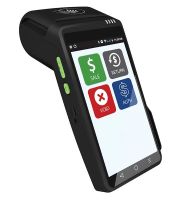
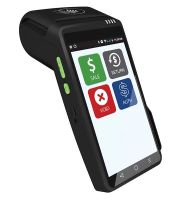
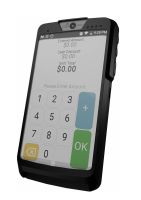
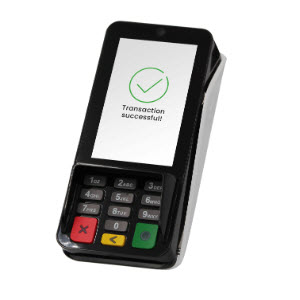
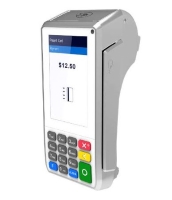
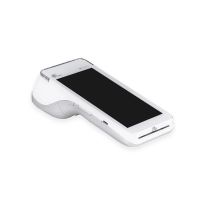
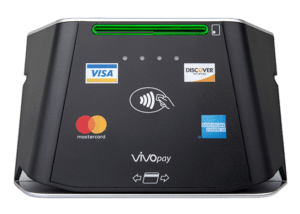
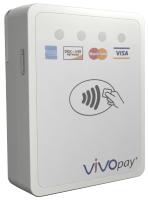
A range of payment terminals are available to support different business environments. Choose from countertop models, PIN pads, mobile terminals, or compact card readers. Each device supports EMV chip, magnetic stripe, and NFC contactless payments for fast and secure transactions. With end-to-end or point-to-point encryption and EMV certification, they ensure compliance and data protection.

## DEJAVOO

### Dejavoo Z Line

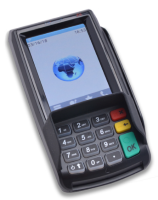
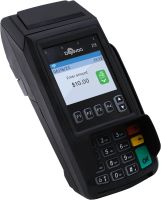
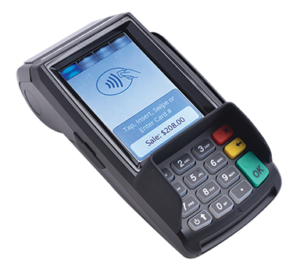
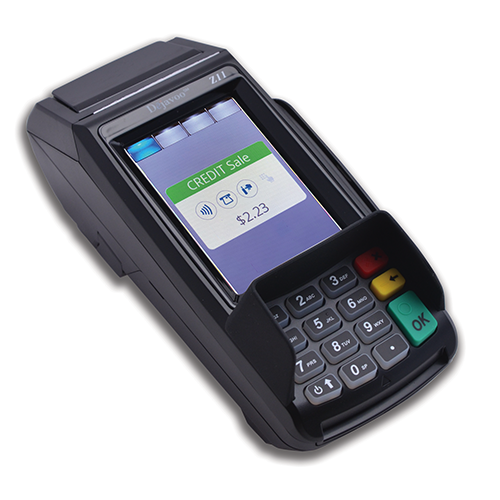
<table data-full-width="false"><thead><tr><th width="232" align="center">Device Appearance</th><th width="143" align="center">Model</th><th>Description</th></tr></thead><tbody><tr><td align="center"><img src="/files/F9lEFtCzQ7qCs5O39tRf" alt=""></td><td align="center"><a href="/pages/4QtsKlpx3Teg9CXcEi60#dejavoo-z6">Z6</a></td><td>Secure and compact PIN pad with advanced security, versatile connectivity, and a user-friendly design for seamless payments.</td></tr><tr><td align="center"><img src="/files/wJ3ABi5g4U4l0IN3Z92v" alt=""></td><td align="center"><a href="/pages/4QtsKlpx3Teg9CXcEi60#dejavoo-z8">Z8</a></td><td>Countertop terminal providing secure and efficient transactions, ideal for retail, restaurants, and service industries.</td></tr><tr><td align="center"><img src="/files/60ANLbHmXuM3lR9u2aTr" alt=""></td><td align="center"><a href="/pages/4QtsKlpx3Teg9CXcEi60#dejavoo-z9">Z9</a></td><td>Durable wireless terminal for mobile payments, suitable for retail, hospitality, and mobile services.</td></tr><tr><td align="center"><img src="/files/CAjjK9lblQxHPXVhT0Dh" alt=""></td><td align="center"><a href="/pages/4QtsKlpx3Teg9CXcEi60#block-449ad1fd-f494-4876-9849-49c1c582cb5a">Z11</a></td><td>Compact countertop terminal with a touchscreen interface.</td></tr></tbody></table>

### Dejavoo QD Line

<table><thead><tr><th width="233" align="center">Device Appearance</th><th width="146" align="center">Model</th><th>Description</th></tr></thead><tbody><tr><td align="center"><img src="/files/f495IZwdeW4ginOrUm45" alt=""></td><td align="center"><a href="/pages/4QtsKlpx3Teg9CXcEi60#dejavoo-qd2">QD2</a></td><td>Android-based mobile wireless PIN pad for flexible, on-the-go payments.</td></tr><tr><td align="center"><img src="/files/AFzw06UqAg7UbMRub2bN" alt=""></td><td align="center"><a href="/pages/4QtsKlpx3Teg9CXcEi60#dejavoo-qd4">QD4</a></td><td>Android-based countertop terminal for businesses needing a stationary POS solution.</td></tr><tr><td align="center"><img src="/files/K9AaG0yMwMDZkXFoZ6zr" alt="" data-size="original"></td><td align="center"><a href="/pages/4QtsKlpx3Teg9CXcEi60#dejavoo-qd3">QD3</a></td><td>Standalone wireless Android POS terminal designed for secure and efficient payment processing</td></tr><tr><td align="center"><img src="/files/ZKtXR8baIUeaTzhYuztd" alt=""></td><td align="center"><a href="/pages/4QtsKlpx3Teg9CXcEi60#dejavoo-qd3-pin-pad">QD3 Pin Pad</a></td><td>Compact Android-based mobile PIN pad that connects to the QD4 terminal via USB.</td></tr></tbody></table>

***

## PAX

### PAX A Series

<table><thead><tr><th width="233" align="center">Device Appearance</th><th width="154" align="center">Model</th><th>Description</th></tr></thead><tbody><tr><td align="center"><img src="/files/nXjZWG98bAC6BTfQqL7v" alt=""></td><td align="center"><a href="/pages/p6PFr7hHBWXxAUL4WwIm#pax-a35">A35</a></td><td>High-performance Android Smart PIN pad for various retail scenarios.</td></tr><tr><td align="center"><img src="/files/XCGe4OnUr7pUrjOvnEmg" alt=""></td><td align="center"><a href="/pages/p6PFr7hHBWXxAUL4WwIm#pax-a80">A80</a></td><td>Countertop device that also functions as a portable indoor terminal.</td></tr><tr><td align="center"><img src="/files/tsVL3F60XUYfCCk4OX30" alt=""></td><td align="center"><a href="/pages/p6PFr7hHBWXxAUL4WwIm#pax-a920pro">A920Pro</a></td><td>Mobile touchscreen Android terminal combining an Android tablet with a powerful payment processor.</td></tr></tbody></table>

***

## ID TECH

<table><thead><tr><th width="235" align="center">Device Appearance</th><th width="155" align="center">Model</th><th>Description</th></tr></thead><tbody><tr><td align="center"><img src="/files/qUTLtmbfndTeqPLwnXHL" alt=""></td><td align="center"><a href="/pages/TM1w8iyKDM5x1Mx5Heak#id-tech-vp8300-reader">VP8300</a></td><td>Countertop payment reader supporting EMV chip, magnetic stripe, and NFC contactless payments.</td></tr><tr><td align="center"><img src="/files/0QVlCxjdLFBTP4REjKax" alt=""></td><td align="center"><a href="/pages/TM1w8iyKDM5x1Mx5Heak#id-tech-vp3300-reader">VP3300</a></td><td>Compact, versatile payment reader that accepts multiple payment methods, including Apple Pay and Google Pay.</td></tr></tbody></table>


---

# Agent Instructions: Querying This Documentation

If you need additional information that is not directly available in this page, you can query the documentation dynamically by asking a question.

Perform an HTTP GET request on the current page URL with the `ask` query parameter:

```
GET https://docs.xplorpay.com/getting-started/devices.md?ask=<question>
```

The question should be specific, self-contained, and written in natural language.
The response will contain a direct answer to the question and relevant excerpts and sources from the documentation.

Use this mechanism when the answer is not explicitly present in the current page, you need clarification or additional context, or you want to retrieve related documentation sections.