

Accessing the Merchant Portal
Access the Merchant Portal through a secure web interface. Access requires valid credentials and completion of multi-factor authentication (MFA).
Sign in
Access the Merchant Portal using the merchantportal.xplorpay.net URL.
Security authentication
The Merchant Portal uses Multi-Factor Authentication (MFA) to verify your identity and enhance security. This two-step verification process prevents unauthorized access to your account.
Available authentication methods
You can configure the following authentication methods:
Email Authentication (mandatory)
SMS Authentication (optional additional method)
First-time setup
When you sign-in for the first time, complete the following steps:
Enter your username and password.
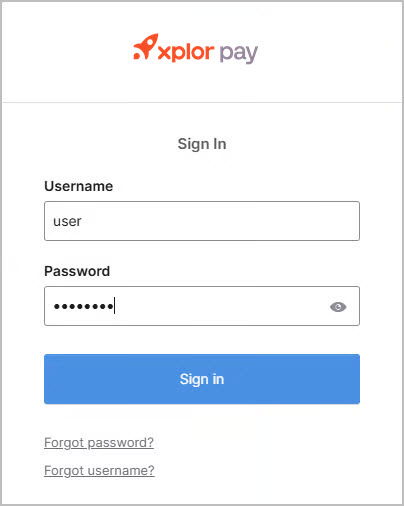
Set up your security authentication method.
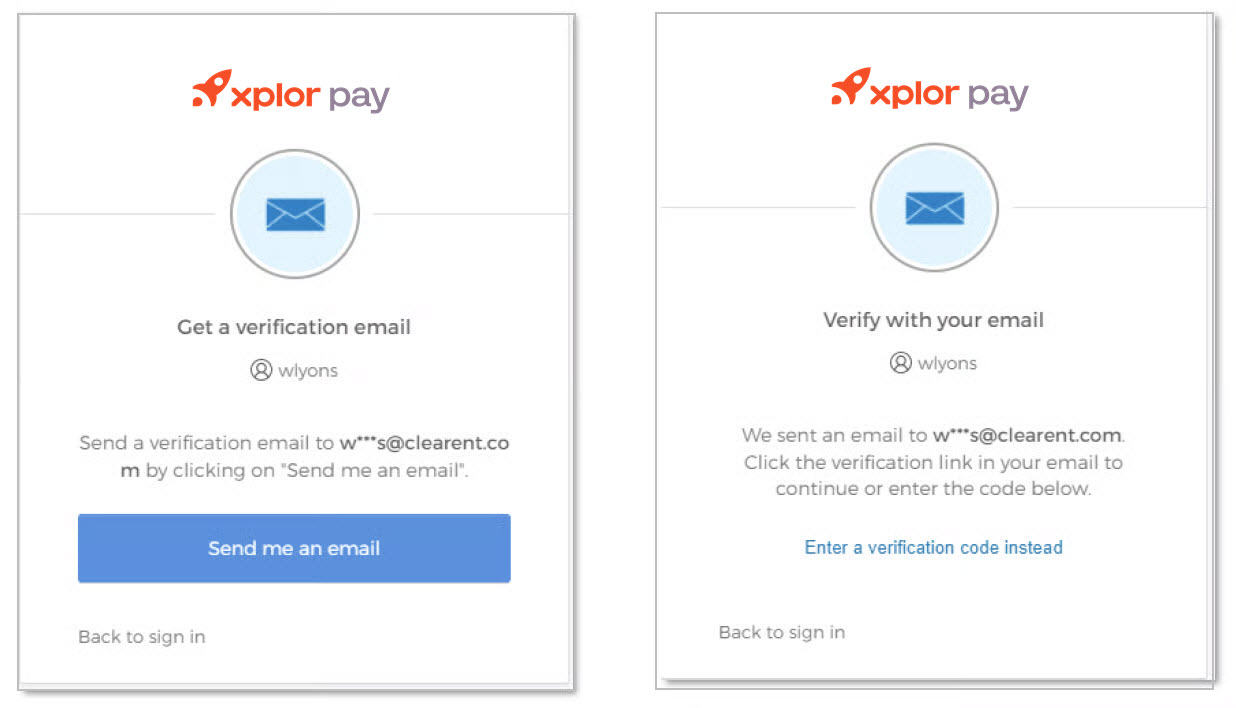
Verify your email address.
A verification email is sent to your registered email address.
Complete verification using one of the following methods:
Click the verification link in the email.
Enter the verification code received in your email.
Additional verification factor via SMS
To further secure your account, set up SMS phone verification. After setup, you can choose email or SMS as your preferred second factor:
Click Setup to begin the SMS verification process.
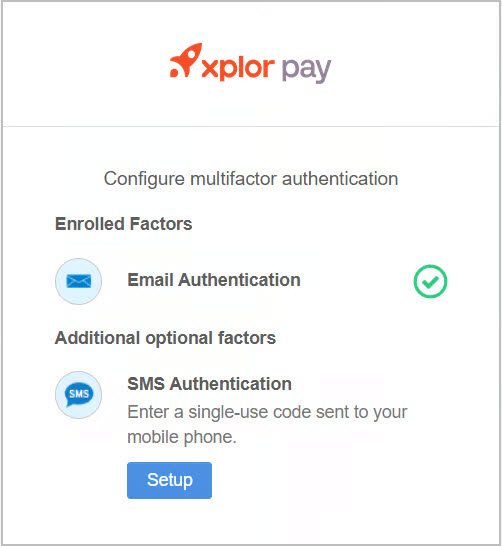
Enter phone information:
Select your Country from the dropdown menu.
Enter your Phone Number.
Click Receive a code via SMS to receive a one-time passcode.
Verify the code:
Enter the verification code received via SMS.
If you do not receive the code, click Send again to generate a new code.
Click Verify to complete the authentication setup.
After verification is complete, SMS authentication is available as an additional authentication method when signing in to your account.
Sign in to the Merchant Portal
Navigate to the Merchant Portal sign-in page.
Enter your username and password.
Click Sign in.
If both email and SMS authentication are configured, you can choose which method to use.
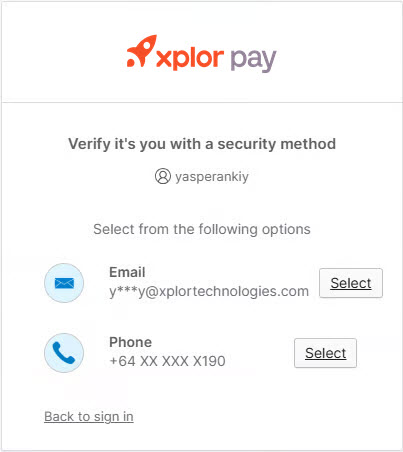
Follow the on-screen prompts to complete authentication.
After successful authentication, you are redirected to the Home page.
Last updated
Was this helpful?