# Adding Equipment
The **Equipment** section allows users to order and manage the necessary equipment for payment processing. Merchants can request equipment, track existing orders, and update their selections as needed. This step ensures that the merchant has the required hardware to support their payment transactions.
{% stepper %}
{% step %}
**Navigating to the Equipment Page**
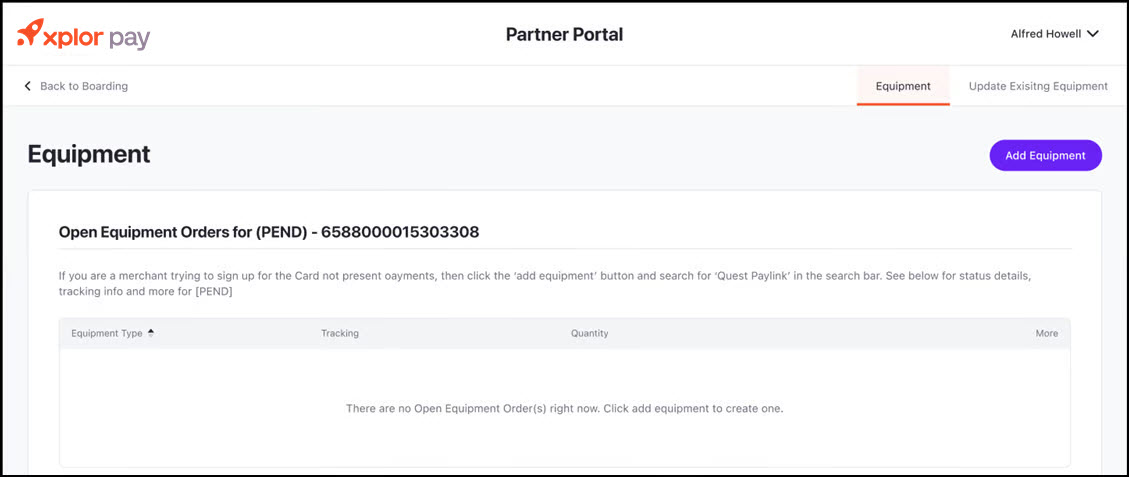
* After completing the **Banking Information** step, you will be directed to the **Equipment** page.
* The page displays any open equipment orders associated with your account.
* If you need to add new equipment, click the **"Add Equipment"** button located on the right side of the screen.
{% endstep %}
{% step %}
**Adding Equipment**
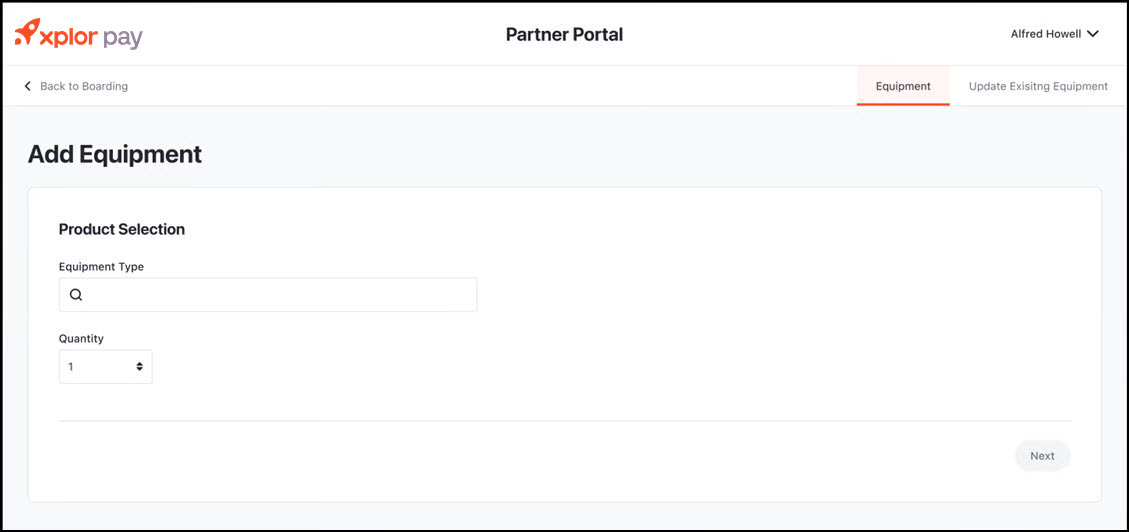
Upon clicking **"Add Equipment"**, you will be directed to the **Add Equipment** form.
* **Selecting Equipment:**
* In the **"Equipment Type"** field, click on the search bar and select the required equipment type from the available options.
* Enter the **Quantity** of the selected equipment in the provided dropdown field.
* Click **"Next"** to proceed.
* **Reviewing Equipment Request:**
* Verify that the selected equipment type and quantity are correct.
* If changes are needed, click the **"Back"** button to return to the previous screen.
* Once confirmed, click **"Submit"** to finalize the equipment request.
{% endstep %}
{% step %}
**Managing Equipment Orders**
* After submitting your request, you will be redirected to the **Equipment** page.
* The newly requested equipment will now appear in the list of open equipment orders.
* The **Tracking** column will display tracking information once the equipment is shipped.
* If you need to modify an existing equipment order, navigate to the **"Update Existing Equipment"** tab.
{% endstep %}
{% endstepper %}