# Default pricing
Hosted Merchant Onboarding supports a default pricing configuration that simplifies merchant setup and reduces integration effort. When you use default pricing, the system automatically applies to the pricing plan already assigned to your partner hierarchy.
This approach requires no additional pricing configuration and works best for fast, low-touch merchant onboarding.
### Default pricing (zero setup)
Default pricing streamlines implementation by eliminating the need to build, select, or manage pricing templates. Because the pricing structure is preconfigured at the hierarchy level, each merchant automatically inherits the same pricing during enrollment. This option is recommended when you do not require merchant-specific rate customization at the time of application.
{% hint style="warning" %}
The [Hosted Merchant Onboarding Setup API](https://app.gitbook.com/s/j9heLdoDRsfnChUQohvj/api/merchant-onboarding/hosted-merchant-onboarding) is a one-time request API. Ensure all required fields submitted together with a single request.
{% endhint %}
{% stepper %}
{% step %}
**Collect required merchant information**
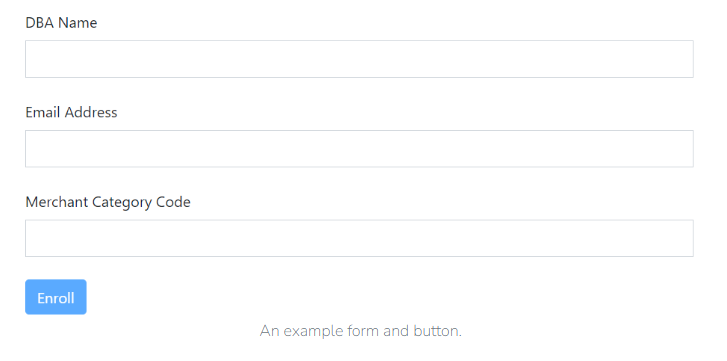
To onboard a merchant using default pricing, first collect the required merchant information, including:
* Doing Business As (DBA) Name
* Email Address
* Merchant Category Code (MCC)
{% endstep %}
{% step %}
**Create merchant application**
Next, trigger the application creation request from your website. Create a form or button that captures the required merchant details and submits a single POST request to the [Hosted Merchant Onboarding API](https://app.gitbook.com/s/j9heLdoDRsfnChUQohvj/api/merchant-onboarding/hosted-merchant-onboarding). This request initializes the onboarding application using the default pricing plan associated with your hierarchy.
{% code lineNumbers="true" %}
```javascript
{
"merchantInformation": {
"dbaName": "Example-dba",
"emailAddress": "janedoe@clearent.com"
},
"salesProfile": {
"MccCode": "9999"
},
"pendEmailAddress": "user@example.com"
}
```
{% endcode %}
{% endstep %}
{% step %}
**Redirect merchant**
The API response returns an `applicationURL`. Use this URL to redirect the merchant directly to the Hosted Merchant Onboarding application. In addition, Xplor Pay automatically sends a welcome email to the merchant that includes the same application link, so you do not need to send the link manually.
{% endstep %}
{% step %}
**Merchant completes the application**
The merchant completes the onboarding application by reviewing the provided information and electronically signing the required documents. No additional pricing steps are required, as the system automatically assigns the default pricing plan during enrollment.
{% hint style="info" %}
Application links remain valid for **30** days. If a link expires, submit a new onboarding request to get a new application URL.
{% endhint %}
{% hint style="success" %}
If you require customized fee structures or need to apply pricing templates, see [**Custom pricing**](https://docs.xplorpay.com/guides/merchant-onboarding/hosted-merchant-onboarding/configure-merchant-pricing/custom-pricing).
{% endhint %}
{% endstep %}
{% endstepper %}